
The headshot field guide · Examples
Professional headshot examples
A useful headshot makes you easy to recognize in the place it will appear. Start with the destination: a small profile icon, a company biography, or a speaker page. Then choose the crop, clothing and background that keep attention on your face. These examples are a visual checklist, not a ranking of faces or a rule that everyone needs a suit.
HeadshotGenerators.ai ·
Six looks, with a reason to choose each
Read the setting as a style idea, not a claim about the pictured person’s job. The same wardrobe and lighting principles apply to men and women; choose clothes that fit your role and that you actually wear.
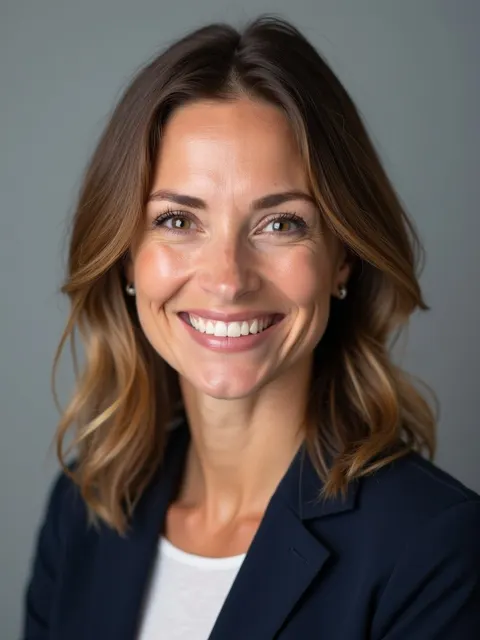
Synthetic AI illustration
Approachable profile
A simple blazer and open expression keep this close crop easy to read. For your own version, check that the smile and teeth still look like yours; a polished expression is not enough if likeness changes.
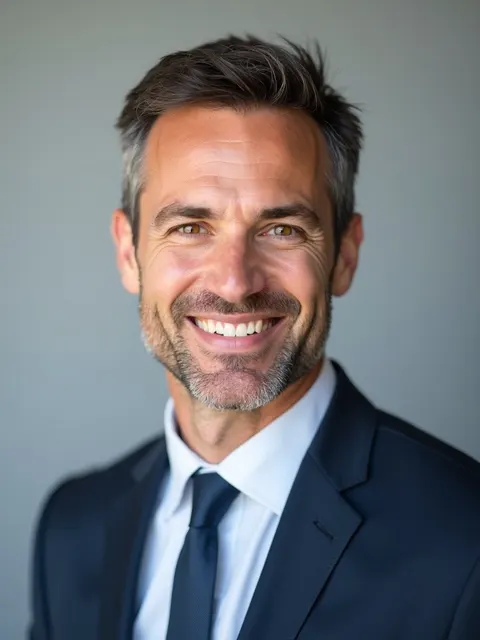
Synthetic AI illustration
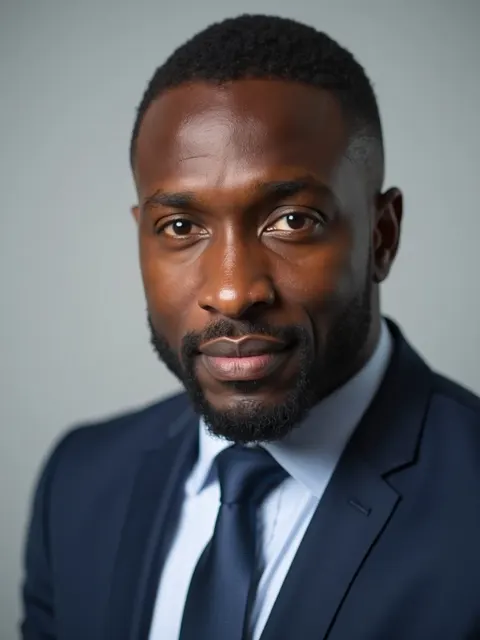
Formal business profile
A tie and dark jacket suit a formal dress code. The plain background leaves little to compete with the face. Do not add a tie just because an example uses one: follow the environment where the photo will be shown.
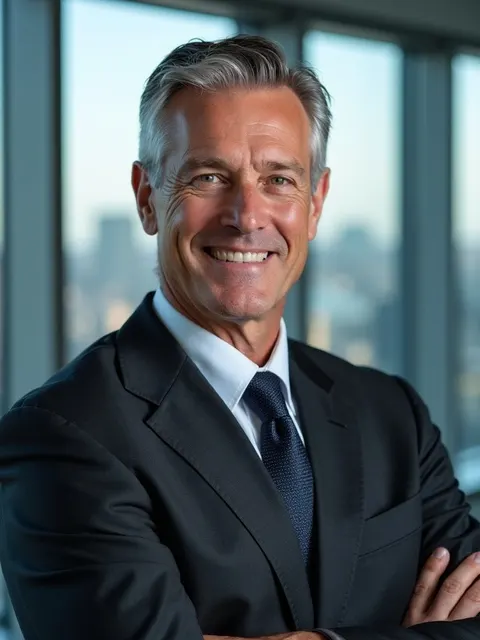
Synthetic AI illustration
Leadership biography
A wider office composition leaves room for posture and context. It can work beside a longer biography, but the face becomes smaller in a tiny avatar. Keep a separate close crop when the destination allows it.
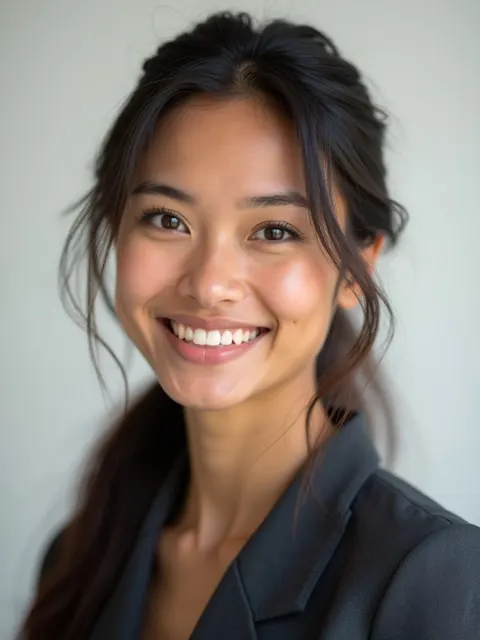
Synthetic AI illustration
Team-directory direction
The light gray setting separates the dark jacket from the background. For a real team, agree on crop and light direction first. One matching backdrop alone will not make different portraits feel consistent.

Synthetic AI illustration
Creative or founder bio
A warm background and less formal shirt create a different tone from a corporate directory. Check that the jacket remains visible against the darker setting. Brand atmosphere should not hide the person.
Synthetic AI illustration
A quieter expression
An open-mouth smile is not required. A relaxed, neutral expression can be a better match for how you present yourself. Inspect eye detail, skin texture and clothing edges rather than choosing solely by the smile.
Good vs. bad headshots: judge the photo, not the face
Here, “good” means useful for a particular destination. These are editorial checks, not scientific scores, hiring predictions or measured generation results.
Recognition
- Keep
- A current appearance that people who know you recognize.
- Reconsider
- Changed age, facial structure, hairline or distinctive features.
Framing
- Keep
- Eyes easy to see, shoulders included and space for the intended crop.
- Reconsider
- A tiny face in a wide scene or a crop that removes hair and chin.
Light and detail
- Keep
- Readable eyes and natural-looking skin at the actual display size.
- Reconsider
- Heavy shadow over an eye, smeared skin or invented detail.
Background
- Keep
- A quiet setting with visible separation around hair and shoulders.
- Reconsider
- Bright objects, lettering or lines that seem to run through the head.
Wardrobe
- Keep
- Clean, comfortable clothes appropriate to the role.
- Reconsider
- Distracting patterns or a costume that does not represent you.
Authenticity
- Keep
- An expression and setting you can stand behind.
- Reconsider
- A generated uniform, workplace or credential that implies something untrue.
Three framing examples
Original framing diagrams, not photographs or AI test outputs. The same silhouette is used to isolate composition.
Room to crop
Keep the face prominent while leaving headroom and shoulders. Preview a circle as well as a rectangle before exporting.
Distracting background
High-contrast lines behind the head compete for attention. Move the camera or person before relying on retouching.
Too tightly framed
Starting with too little headroom leaves fewer options. A later square or circular crop may remove more of the face.
Input-style image vs. AI portrait: what the pair cannot prove
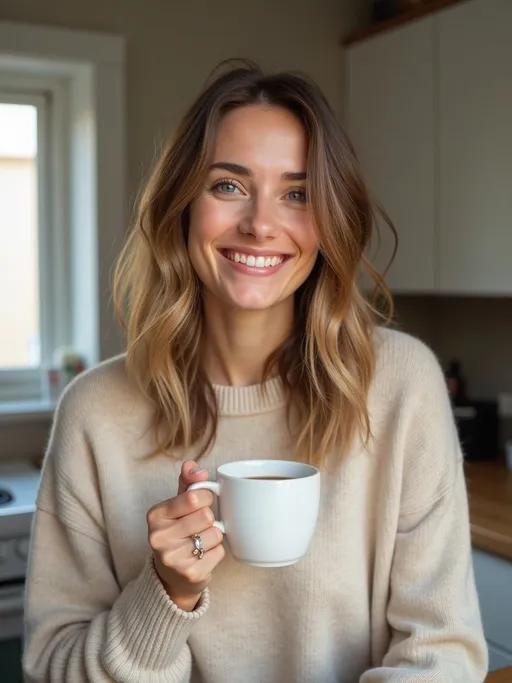
Both images below come from our historical synthetic marketing set. The casual image is not a real customer upload. The pair illustrates a change in presentation; it is not a preserved benchmark or a controlled test of the current service.
Synthetic AI illustration
Synthetic input-style illustration
Casual clothes, a wider scene and a prop give the image a lifestyle feel. For an actual upload, use a recent, clear photo of yourself without face-altering filters.

Synthetic AI illustration
Synthetic AI-output illustration
The tighter crop, blazer and plain setting change the presentation. The apparent age and facial details also differ: do not treat that change as a successful likeness match.
Reject a result if it no longer looks like you, even when the clothing and background are appealing. Review eyes, teeth, ears, hairline and distinctive features at full size. Ask someone who knows you to check the short list; a synthetic example cannot answer that question for you.
Headshot examples for men and women: adapt the style, not your identity
Use the examples to compare formality, necklines and contrast, not to enforce gender-specific posing rules. A jacket, knit top, shirt or blouse can each work when it fits the role and sits comfortably. Keep glasses, head coverings and other everyday features that are part of your usual appearance.
For a conservative organization, begin with its existing staff photos. For a creative portfolio, a little more setting can be helpful. Neither calls for changing your skin tone, age or facial shape to match somebody else’s example.
Choose the final crop before choosing your favorite
For a profile avatar, preview a close crop at the small size where people will see it. For a biography, a taller portrait may leave useful breathing room. A wide banner is a separate composition: stretching a portrait to fill it distorts the face.
There is no universal 3:4, square or 16:9 headshot rule. Check the destination’s current requirements, keep the largest original available and make a separate export for each use. Cropping can remove pixels; it cannot recover detail that was never in the source.
When an AI example is not the right reference
If a casting brief, employer or publication requires an unaltered or specifically photographed portrait, follow that brief. A photographer is also the clearer choice when you need exact lighting, a particular location, or close control over likeness. AI portraits can invent details and are not appropriate for passports or other official identity documents.
Treat a free AI preview as a way to inspect one result, not evidence that every paid result will look the same. Paid trained sets and a single-photo preview use different workflows. Compare the actual output against your own current appearance before deciding to use it.
Frequently asked questions
What does a good professional headshot look like?
It looks like you now, shows your face clearly and fits its destination. Check crop, eye detail, natural skin, clothing and background together. No particular suit, smile or background color is right for everyone.
Are these real customer headshot examples?
No. These are synthetic AI marketing illustrations. The input-style image is synthetic too. They are not testimonials, a current-service benchmark or a promise of typical results.
Should I smile in a professional headshot?
Use an expression that feels natural and suits the setting. A relaxed neutral expression can work as well as a smile. In AI output, check that teeth, eyes and facial shape remain recognizable.
Can I use a selfie as a professional headshot?
A clear, current photo can work for some profiles if its crop, light and setting fit the destination. Follow any employer or publication requirements. An AI transformation still needs a separate likeness and artifact review.
Should my headshot be square or portrait?
Use the shape required by the destination and preview its crop. Save the original and export separate versions rather than stretching one file. There is no universal aspect ratio for every professional use.
Sources and context
- Headshots.com: professional headshot examples
External photographed examples for additional style context. Our illustrations are synthetic and are not equivalent evidence.
Inspect your own preview
The examples can help you choose a direction. Only your own result can help you judge likeness. Read the exact free-preview and download conditions before you start.
See free-preview details